
Google My Business: A Local Powerhouse for Small Business Growth
Introduction
Ever wonder why the shop down the street always shows up on Google Maps, while yours doesn’t even get a glance? That’s the magic of Google My Business (GMB)—a free yet powerful tool that can drive customers to your doorstep. In this blog, you’ll learn how Google My Business helps small businesses grow, steps to improve Google My Business ranking, and how to optimize your Google My Business profile for local traffic. Let’s break it down in a way that’s easy to follow, even if you’re not tech-savvy.
What is Google My Business (GMB)?
Google My Business is a free tool from Google that allows you to manage how your business appears across Google Search and Maps. It lets you display important details like your address, hours, services, photos, and even customer reviews.
GMB in Simple Words
Think of GMB as your digital storefront. Just like a shop sign outside your store brings people in, your GMB listing brings online users to your physical or digital doorstep.
A Real-World Example
Let’s say you own a small café in Lucknow. A customer searches for “best coffee near me.” If your GMB profile is optimized, your café appears in the top search results. That one action could mean a new loyal customer.
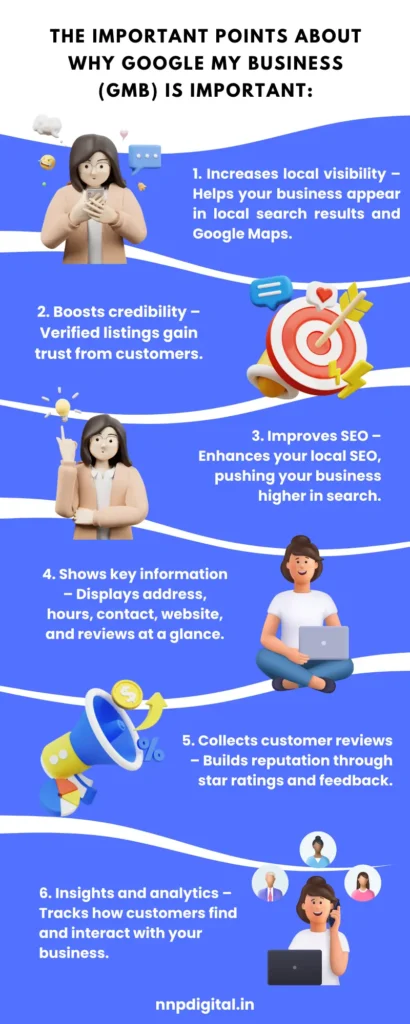
Why Google My Business Matters for Local Business Owners?
Statistics That Make a Case
- 46% of all Google searches are looking for local information.
- Businesses with complete GMB listings are 70% more likely to attract location visits.
- Listings with photos get 35% more clicks.
Real-World Benefits
- Local business growth through GMB optimization
- Google My Business insights for local marketing help you understand customer behavior.
- Increase in foot traffic and website visits
How to Use Google My Business?
Steps to Improve Google My Business Ranking
1. Create or Claim Your Business Listing
Go to google.com/business and sign in with your Google account. Claim your business or create a new listing.
2. Fill Out Your Profile Completely
Make sure all details—name, address, phone number, business hours, and website—are accurate. Don’t forget to update business hours on Google My Business whenever needed.
3. Choose the Right Category
Select categories that best describe your business. Being specific increases your chances of showing up in targeted searches.
4. Add High-Quality Photos
Photos help build trust. Learn how to add photos to Google business listings to showcase your store, staff, and services.
5. Collect and Respond to Reviews
Never underestimate the importance of reviews on Google My Business. Positive reviews build credibility and boost rankings.
6. Post Regular Updates
Use the posts feature to share offers, events, or new products.
Real Benefits of Google My Business for Different Users
1. Small Businesses
- More local visibility
- Build trust through reviews and images.
- Easy communication through Google Chat/Call features
2. Startups
- Cost-effective brand visibility
- Credibility without needing a big budget
3. Freelancers & Home-Based Services
- Appear on Maps
- Build a client base from local searches.
Case Study: Google My Business for a Small Shop
Meet Asha, a boutique owner in Jaipur. She added her shop to GMB, uploaded photos, regularly posted offers, and responded to every review. In just 3 months:
- Footfall increased by 60%.
- Her shop started appearing in “Top 3” map results.
- Sales went up by 35%.
That’s a real-life example of local business growth through GMB optimization.
Advanced GMB Tips for Maximum Impact
Use Google My Business Insights.
Track:
- How people find your business (search terms)
- Where they come from (location)
- What actions they take (calls, website clicks, direction requests)
- Schedule Weekly Posts
Keep your profile active by posting:
- Weekly discounts
- Behind-the-scenes shots
- Customer stories or testimonials
Important Google My Business Statistics
- 93% of consumers use Google to find a local business.
- 88% of searches for local businesses result in a call or visit within 24 hours.
- Businesses with 4.5+ stars get 60% more conversions.
Common Questions About Google My Business
Q. Can I use GMB without a physical address?
Yes. Choose “service area business” and hide your address.
Q. How do I get more reviews?
Ask politely.
Share direct review links.
Offer a small thank-you gift or discount (without violating Google’s policy).
Conclusion: Your Next Step to Local Success
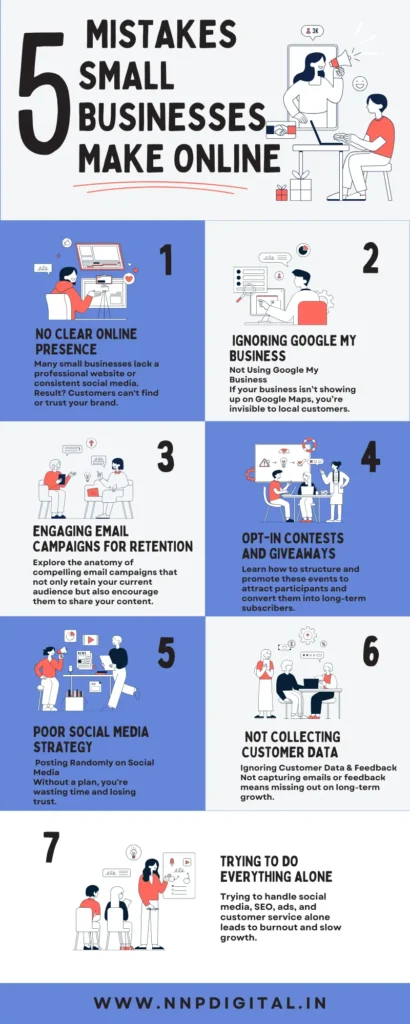
Google My Business is not just another app—it’s a smart, strategic way to stand out in a crowded local market. From gaining reviews to showing up in maps, it’s a one-stop shop for online visibility.
What’s stopping you from claiming your business today? If you’re already on GMB, try implementing one new strategy from this post this week. Got questions? Drop a comment below or share this post with a fellow business owner.
Leave a Reply